Sending WhatsApp promotions to your clients: what Meta requires in an aesthetic centre
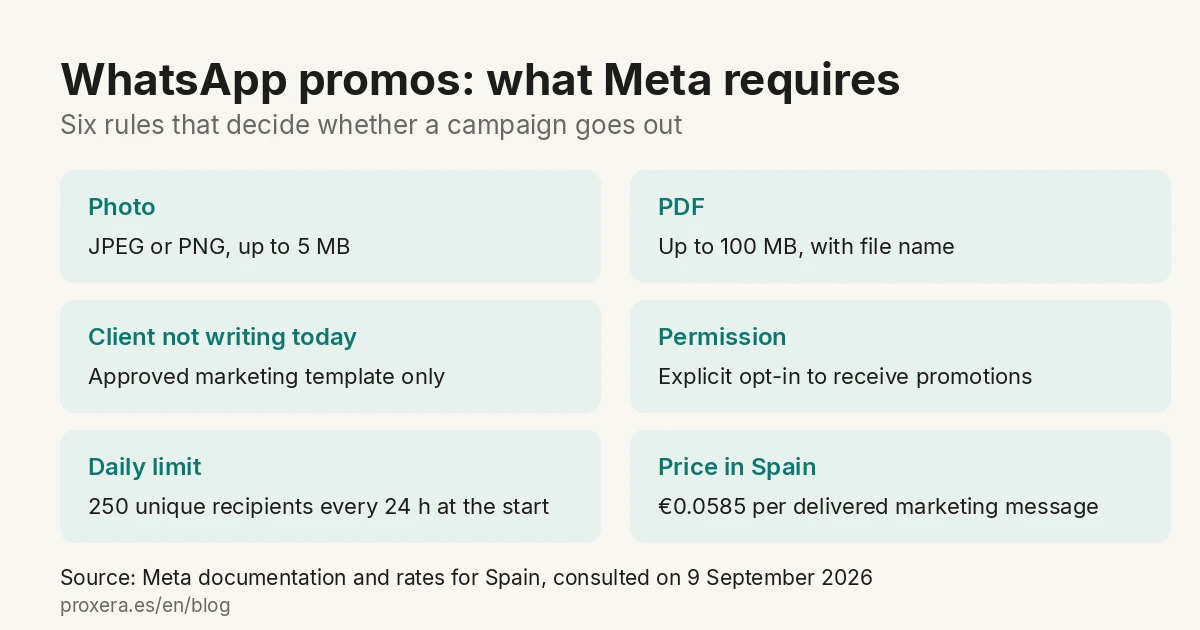
You have the client base in the appointments software and you want to send them the special of the month with the photo of the treatment. The question is always the same: can I send it just like that? And so is the fear: will they block my number?
Both answers are written in Meta's documentation. This article summarises them, with the source next to each piece of data. The data was consulted on 9 September 2026.
Quick answer
| Question | Answer |
|---|---|
| Can I send a photo on WhatsApp? | Yes. JPEG or PNG, up to 5 MB, with a caption of up to 1,024 characters. |
| And a PDF with the price list? | Yes. Up to 100 MB, with a file name and caption. |
| To a client who has not written to me today? | Only inside a marketing template approved by Meta. The header of that template can be an image or a document. |
| Is the phone list from my appointments software valid? | No. Explicit permission to receive promotions on WhatsApp is needed. |
| Can I send it to my 900 clients at once? | Not at first. You start with 250 unique recipients every 24 hours. |
| How much does each message cost? | €0.0585 per delivered marketing message in Spain, Meta rate in force since 1 July 2026. |
What really decides whether this can be done is not technical. It is your clients' permission and the daily sending limit.
1. Photos and PDFs: yes, and with these limits
Meta publishes the table of supported formats in its API documentation. For an aesthetic centre, two matter:
| What you send | Formats | Maximum size | Extras |
|---|---|---|---|
| Image | JPEG, PNG | 5 MB | Caption of up to 1,024 characters |
| Document | PDF (also Word, Excel, PowerPoint and TXT) | 100 MB | File name visible in the chat and caption |
That the PDF carries a file name is not a minor detail: it is what the client sees in the chat. Receiving documento.pdf is not the same as receiving Tarifas-septiembre.pdf.
Source: Meta's supported media types, image messages and document messages.
2. The 24-hour window
This is where a campaign can break before it starts.
WhatsApp opens a 24-hour window when a client writes to you or calls you. If she writes again, the counter restarts.
- Inside that window you can send whatever you want: text, photo, PDF, anything. Meta says it literally: those messages "do not require prior approval".
- Outside that window you can only send templates approved in advance.
Translated to your day to day:
- A client writes to you in the morning to change her appointment. In the afternoon you can send her the price-list PDF just like that, without asking anyone's permission.
- The clients who have not written to you this week: that is a marketing template. You cannot send them a loose photo.
Source: Meta's guide to sending messages.
3. What a marketing template is and how long it takes
A template is the message written in advance that Meta reviews and approves. It is prepared once and used many times.
What to know before setting it up:
- Each template is classified as marketing, utility or authentication. The promotion of the month is marketing.
- The header of the template can be an image or a document. Meta says so: "Media headers can be an image, video, gif, or a document such as a PDF". That is: yes, the promo can go with the photo, except that the photo goes as the header of an approved template and not as a loose message.
- Text limits: 60 characters in the text header and 1,024 in the body.
- Meta's review can take up to 24 hours. Meta's official period is up to 24 hours.
- Once sent for review, it cannot be edited. It is reviewed before sending it, not after.
Usual reasons for rejection, according to the documentation: incorrect format, content that breaches WhatsApp's commerce policy, content that breaches its business policy and content that could be considered abusive. And a silly trap: if you do not choose a language when creating it, the template may be rejected for that.
Sources: Meta's message templates and template components.
4. Your clients' permission: this is what decides
It is the part that cannot be skipped and the only one with no technical workaround.
The WhatsApp Business messaging policy says, literally, that you can only contact someone if (a) they have given you their mobile number and (b) you have received their permission to receive messages from you. And it adds that you must give clear instructions on how to opt out, and respect them.
What this means in an aesthetic centre: the phone list from your appointments software is not permission. That number was given to you to manage the appointment, not to send promotions.
What does work: a box on the registration form, a form on the website or a consent asked for by phone, where the name of your centre and that she agrees to receive promotions on WhatsApp are recorded. It does not have to be collected inside WhatsApp. It does have to be recorded when and how it was given.
Meta's recommendation is that the permission covers the categories of messages you are going to send —appointment confirmations, offers, recommendations—, or that you ask for a permission per category.
Sources: WhatsApp Business messaging policy and the platform overview from Meta.
5. The first large sending goes out in batches
This is worth knowing before announcing the promotion.
Meta does not let you write to your whole base on the first day. You start with 250 unique recipients every 24 hours, and the limit rises in steps:
If this is your case: Xera Chat, customer service →
| Tier | Unique recipients / 24 h |
|---|---|
| Start | 250 |
| Second | 2,000 |
| Third | 10,000 |
| Fourth | 100,000 |
| Fifth | No limit |
Two clarifications that change the calculation:
- The limit only counts the conversations you start with a template. Those the client starts do not count.
- To go from 250 to 2,000 you have to verify the business with Meta, with the company's legal documentation. That procedure is started on the first day, not when the campaign is already set up.
With 900 clients and without verifying the business, the September promotion takes four days to be distributed. It is not a fault: it is how it works.
Beware of a confusion that circulates: some guides say "250 conversations a month". Meta's documentation, which is who imposes the limit, says 250 unique recipients every 24 hours, in a rolling window. It is not remotely the same.
Source: Meta's messaging limits.
6. What each message costs
Since 1 July 2025, Meta charges per message, not per conversation. It is charged when the message is delivered, not when it is sent, and the rate depends on the recipient's country and the category of the message.
Spain rates in euros, in force since 1 July 2026:
| Category | € per delivered message |
|---|---|
| Marketing (the promotion) | €0.0585 |
| Utility (the notices category, not promotional) | €0.0166 |
| Service | €0.0166 from 1 Oct 2026 (1,000 free per month per number) |
A thousand promotions delivered: 1,000 × €0.0585 = €58.50 in Meta's rate. To that you have to add what the tool you send from charges, which has its own rate and its own subscription.
Two honest notices about this figure:
- It comes from the official WhatsApp Business pricing calculator, consulted on 9 September 2026. Lower figures circulate in sector articles; they do not match Meta's source.
- Spain went up in price on 1 July 2026. Meta publishes it on its page of rate changes, alongside Italy and the United Kingdom. If you are reading a comparison from a year ago, that figure is no longer valid.
And what is not charged: the messages the client writes to you, any reply of yours within the 24-hour window, and utility templates delivered within that same window.
Source: platform pricing and the official calculator.
7. Why numbers get blocked (and how not to get there)
Your number and each of your templates receive a quality rating from Meta:
- Green: all correct.
- Yellow: there are negative comments or low read rates. Meta warns that the template "may be at risk of being paused".
- Red: at risk of being paused or disabled.
- Unknown: a new template, with no data yet.
If your clients block or report the messages, Meta pauses the templates and the channel goes silent.
Hence the permission in point 4 is not bureaucracy. Sending to someone who has not asked is exactly what takes you to yellow.
8. If you are going to use the number you already have
The centre's WhatsApp is usually run by someone from a mobile, with years of conversations in it. There are two things worth knowing before touching anything:
- Two ways: connect the WhatsApp Business you already use (coexistence), without leaving the app, or a clean number, with no WhatsApp, registered directly on the API.
- With coexistence the last six months of history can be brought in; groups stay only in the app.
It is the conversation to have on the first day, not on launch day.
Source: Meta's phone numbers. Coexistence: Meta's official documentation.
Direct questions
Can I send the promotion with the photo?
Yes, inside a marketing template approved by Meta, where the photo goes as the header. Loose, only to whoever has written to you in the last 24 hours.
And a PDF with the month's price list?
Also. Up to 100 MB through Meta's API, with a file name and caption. If you send from an intermediary tool, check its own limit: it may be lower than Meta's.
Can they block my number?
Meta does not block for sending promotions. It pauses templates and lowers the number's quality rating when people block or report. The risk is not in sending: it is in sending to someone who did not ask.
Is the phone list from my appointments software enough?
Not as it is. Explicit permission to receive promotions on WhatsApp is needed, with the name of the centre, and a record of when it was given.
How long does it take to set up?
It depends on two periods you do not control: the review of each template (up to 24 hours) and the verification of the business with Meta, which is paperwork with the company's legal documentation.
Can I send everything on the same day?
Only if your base is smaller than 250 people. Above that, the sending goes out in batches until Meta raises the limit.
Where to start
With the permission. It is the only thing that cannot be fixed afterwards: without it there is no campaign, and with it in place the rest is configuration.
Then, in this order: verify the business with Meta, prepare the template with the header image and calculate in how many batches the first sending goes out.
If you run an aesthetic centre and want to see it on your specific case —your appointments software, your client base, your number—, write to us. We are based in Barcelona (office in Montcada i Reixac). Calls and meetings are held in Spanish.
If yours is an accounting firm or a law firm, the version of this topic for your sector is in WhatsApp Business API with AI for accounting firms and law firms. And if you want to see what else can be connected to the software you already work with, it is in aesthetic centres.
AI in action
Want to see XERA in action?
Talk directly to XERA and find out how it can automate the repetitive tasks in your business.
No commitment
Prefer it with a fixed day and time?
Book a video call (in Spanish)Pick a slot and the invitation reaches you straight away. The booking page is in Spanish.
Related content
Automate Your Accounting Firm in 2026: A Practical Guide for Professional Practices
A practical guide to automating your accounting and tax advisory firm or professional practice in 2026. What to automate, where to start and how XERA can help without changing your tax software.
2026 Personal Income Tax (IRPF) Checklist for Accounting Firms: Calendar, Documentation and Errors That Cost Penalties
A 2026 IRPF checklist for accounting firms: the tasks before, during and after the campaign. Avoid the chaos of April to June.