How to connect Flowww to WhatsApp using AI (2026 guide)
If you run an aesthetic centre with Flowww, the scene will sound familiar: you are in the treatment room, the phone rings, messages arrive at eleven at night and WhatsApp piles up with "do you have a slot on Friday?" enquiries. Every message not answered in time is a booking that goes to another centre. The good news: your Flowww can handle all of that by connecting it with an artificial intelligence assistant. We explain how it works and what you need.
What the Flowww API connection allows
Flowww offers API access. In practice, that means an authorised external system can query your diaries and create bookings on your behalf, with your rules. It is the piece that turns a chatbot that "takes note" into an assistant that really books appointments: instead of noting the request for someone to enter it by hand later, the assistant looks at the real availability and registers the appointment directly in your Flowww.
What the assistant does once connected
- Answers questions about treatments, prices and opening hours using your real catalogue.
- Checks the availability of your diaries in Flowww before proposing a time.
- Books the appointment in your system.
- Handles WhatsApp and your website chat, by day, by night and on public holidays.
What you need to get started
- A Flowww plan with access to its API. If you do not know whether yours includes it, it can be checked.
- A WhatsApp Business number for your centre (it can be the one you already use).
- Your catalogue of treatments and your booking rules (durations, professionals, slots you do not want touched).
- An integrator that connects the pieces and configures the assistant with your tone and your way of working.
How it works inside (without jargon)
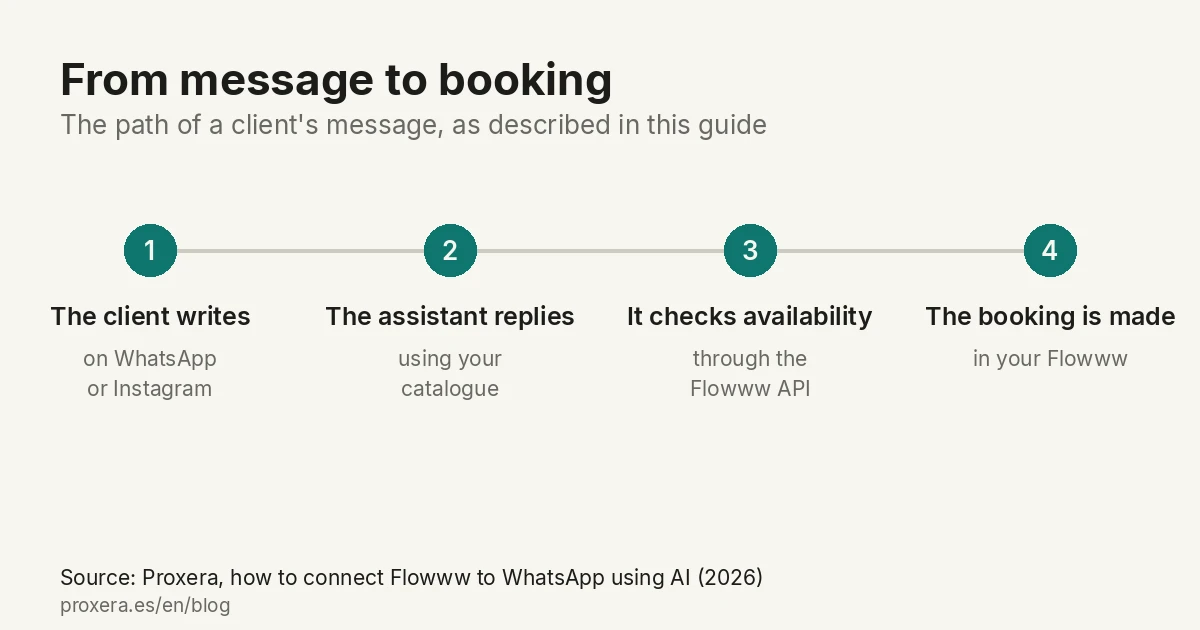
The path of a message is simple: your client writes on WhatsApp → the AI assistant understands what they ask and replies using your catalogue → when they want to book, the assistant queries the Flowww API, offers real slots and creates the appointment → the booking appears in your Flowww as if your team had made it.
Common mistakes to avoid
- Putting in a chatbot with no real connection to Flowww. If the bot "takes note" but does not book, you have added a step, not removed one: someone is still entering appointments by hand.
- Offering times without checking real availability. Nothing annoys a client more than booking a slot that then does not exist.
- Forgetting the GDPR. Your clients' data must be handled with the right information in your privacy policy.
- Configuring the assistant without your rules. Durations, professionals, protected slots: if they are not configured, the assistant will book correctly but not the way you work.
Want to see it applied to your centre?
At Proxera we do exactly this: we connect your Flowww to an AI assistant through WhatsApp and web. We always start with a free requirements-gathering meeting to look at your Flowww plan, your diaries and what the assistant would automate in your case. The meeting is held in Spanish.
If your centre is an aesthetics, beauty or wellness one, you have more information on our landing page for aesthetic centres.
AI in action
Want to see XERA in action?
Talk directly to XERA and find out how it can automate the repetitive tasks in your business.
No commitment
Prefer it with a fixed day and time?
Book a video call (in Spanish)Pick a slot and the invitation reaches you straight away. The booking page is in Spanish.
Related content
Automate Your Accounting Firm in 2026: A Practical Guide for Professional Practices
A practical guide to automating your accounting and tax advisory firm or professional practice in 2026. What to automate, where to start and how XERA can help without changing your tax software.
2026 Personal Income Tax (IRPF) Checklist for Accounting Firms: Calendar, Documentation and Errors That Cost Penalties
A 2026 IRPF checklist for accounting firms: the tasks before, during and after the campaign. Avoid the chaos of April to June.