IT Automation in Tarragona: What Your Accounting Firm, Law Firm or Advisory Firm Really Needs
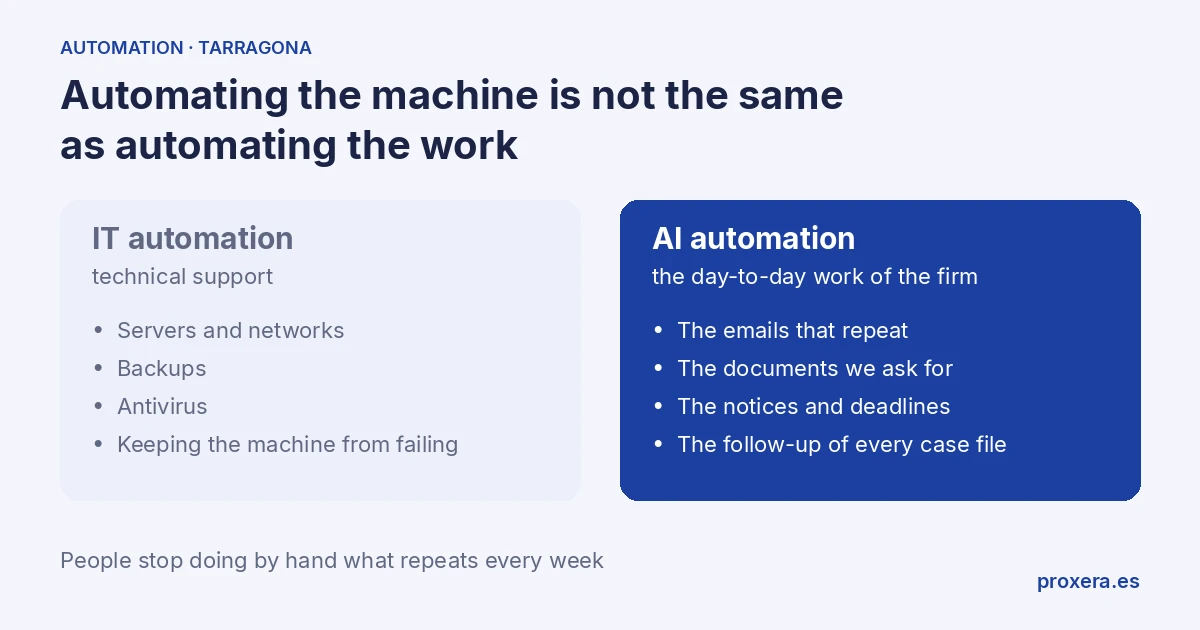
If you have searched for "IT automation in Tarragona", you are probably not looking for what that term suggests.
"IT automation" normally means servers, networks, backups, technical support. That is not what we do at Proxera, and if that is exactly what you need, this article is not for you.
But if what you have is an accounting firm, a law firm or an advisory firm in Tarragona and what is really costing you time is answering the same emails, chasing the same documentation and remembering the same deadlines, then what you are looking for is not "IT": it is automation of repetitive work with AI. And that we do talk about.
The two things, side by side
| IT automation (technical support) | AI automation (what we do) | |
|---|---|---|
| What it touches | Servers, networks, backups, antivirus | The daily work: emails, documents, notices, follow-up |
| Who needs it | Any business with its own infrastructure | Accounting firms, law firms, advisory firms with repetitive tasks |
| Who solves it | An IT support provider | An AI assistant that prepares the work for a person to approve |
| What changes | The machine works without faults | People stop doing by hand what repeats every week |
The confusion has a reason
For years, "automating" in an office meant buying software or improving infrastructure: a faster server, an automatic backup, an antivirus that updates itself. That is IT automation in the classic sense, and it still exists as a service category — IT support, network maintenance, cybersecurity.
What has changed in the last two years is that now the work itself can also be automated, not just the infrastructure that supports it. It is not "making the computer go faster": it is that a task a person used to do —classifying a document, sending a reminder, answering a repeated question— is prepared by an AI assistant, and the person approves it.
They are two different things and they are solved by different people. We solve the second.
What CAN be automated in a firm or an advisory firm
You do not need to be a large firm to have these four sources of repetitive work:
- Reminders and notices. A client with pending documentation or a deadline approaching gets a notice prepared automatically, for the team to approve, without anyone having to remember to write it.
- Receiving and classifying documents. The client sends the invoice or the contract by email, and the system files it in the right case file without anyone reordering it by hand.
- Answers to questions that repeat. "How is my case file going?", "what documentation am I missing?", "when is the next deadline?" — an AI assistant checks the real status and prepares the reply for the team to approve, instead of someone having to look it up every time.
- Follow-up of what gets stuck. A case file with no movement for days automatically generates a task for whoever handles it, instead of being discovered when the client calls already annoyed.
In Automate your accounting firm in 2026 we develop this in detail for the case of a tax advisory firm: what to automate, what not to, and the difference between a chatbot (replies) and an operational assistant (also prepares the work). That article is the starting point if your business is an accounting firm. This one is the starting point if you are a law firm, an advisory firm or any business in Tarragona that has found itself searching for "IT automation" when what it had in front of it was something else.
What does not change: professional judgement remains yours
Automating repetitive work is not delegating the lawyer's or adviser's judgement. An AI assistant can warn that a deadline is approaching, classify a document or prepare an answer to a status question. It does not decide which procedural strategy to follow, nor which tax regime suits, nor give bad news to a client. That is still done by the person who handles the case — with more time, because the tasks that repeat every week no longer eat it up.
If you run a law firm in particular, this distinction applies just the same: reminders of procedural deadlines, case file follow-up and classification of documentation are clear candidates for automation; the strategy of the case is not. On this last point you have more detail in case file follow-up with AI for law firms (ES) and in the comparison of AI tools for lawyers in Spain.
Direct questions
Are "IT automation" and "automating with AI" the same?
No. The first is infrastructure and technical support. The second is that a task a person did —classifying, reminding, replying— is prepared by an AI assistant while the person approves it.
Does it work for a small firm, or do you need an IT department?
You need neither your own infrastructure nor a technical department. The size of the business is not the criterion: how much repetitive work it has is, and that can be measured with the adviser or lawyer who lives it every week.
What is automated first?
What takes the most time and requires the least professional judgement. Often it is reminders and document classification.
Where to start
There is no need to automate everything at once. The usual thing is to start with the task that takes the most time and needs the least judgement — often reminders or document classification — and add the rest later, with the system already tested.
If you have an accounting firm, a law firm or an advisory firm in Tarragona and want to see which of this fits your day to day, write to us and tell us how you work now: we will tell you what we would automate first. Calls and demos are held in Spanish.
AI in action
Want to see XERA in action?
Talk directly to XERA and find out how it can automate the repetitive tasks in your business.
No commitment
Prefer it with a fixed day and time?
Book a video call (in Spanish)Pick a slot and the invitation reaches you straight away. The booking page is in Spanish.
Related content
Automate Your Accounting Firm in 2026: A Practical Guide for Professional Practices
A practical guide to automating your accounting and tax advisory firm or professional practice in 2026. What to automate, where to start and how XERA can help without changing your tax software.
2026 Personal Income Tax (IRPF) Checklist for Accounting Firms: Calendar, Documentation and Errors That Cost Penalties
A 2026 IRPF checklist for accounting firms: the tasks before, during and after the campaign. Avoid the chaos of April to June.