Software for Tax Accounting Firms 2026: Which Functions Cannot Be Missing
What does good software for a tax accounting firm do?
There are many options on the market for software for tax accounting firms, and many are designed to manage paper rather than to free up time. Good accounting firm software does not just store case files; it reduces manual work, prevents errors and improves the client experience.
In 2026, an accounting firm that relies only on manual processes falls behind. Clients ask for quick answers, documents on their phone and fewer calls to find out "how is my return going". And the adviser, meanwhile, drowns in emails, WhatsApp messages and out-of-date spreadsheets.
The right question is not "do I need software?" — the answer is obvious. The real question is: which functions cannot be missing in tax accounting firm software in 2026?
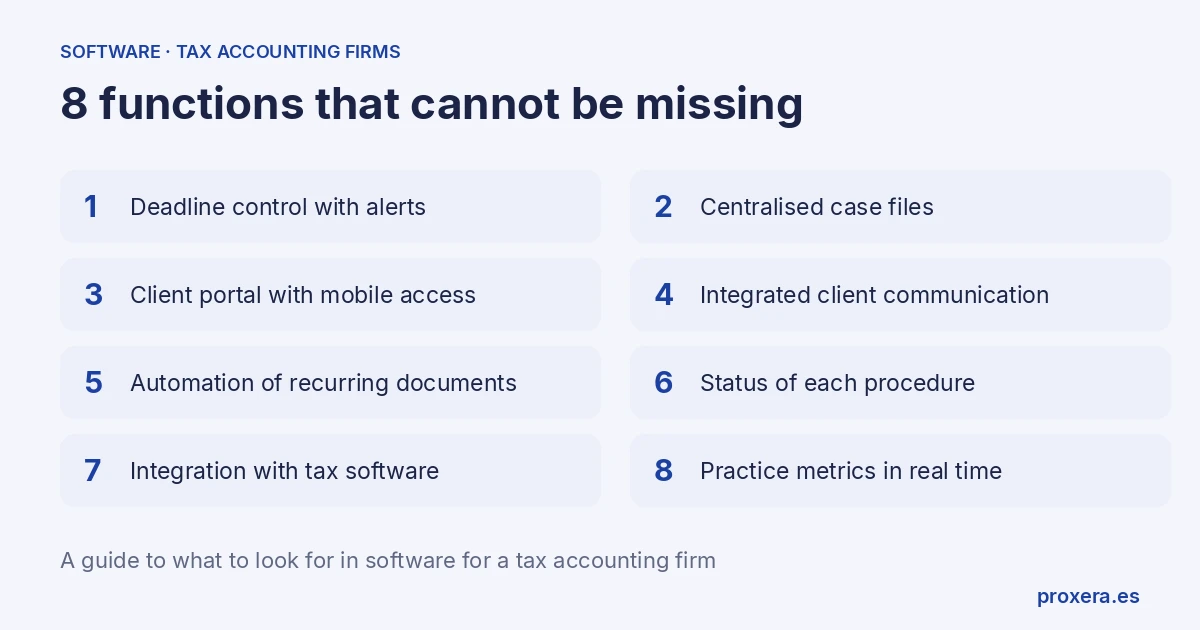
The 8 essential functions in tax accounting firm software
1. Control of tax deadlines with automatic alerts
The heart of any tax accounting firm is deadlines: Modelo 303, 347, 390, IRPF, corporate income tax, withholdings... Software for a tax accounting firm worthy of the name must generate automatic alerts with configurable days of notice. Not reminders that get lost in the inbox, but notices for the adviser and for the client when it is time to act, prepared for a person to approve before they go out.
With XERA, each case file can have its own calendar of deadlines. XERA tells you whom to warn when documentation is missing or a deadline is approaching, and a person approves what is sent.
2. Centralised case file management
Each client is a living case file: contracts, returns, invoices, deeds, powers of attorney... Without a centralised system, those documents live in Dropbox folders, on the desktop of three different computers and in the email of 2015. The software must let you find any document in seconds, with filters by client, date, type and status.
3. Client portal with mobile access
In 2026, many self-employed people have little time to go to the accounting firm or to scan documents into a PDF. They want to upload their invoice from their phone, quickly, while having a coffee. Good software must include a client portal accessible from a smartphone where they can upload documentation, check the status of their procedures and receive notifications.
4. Integrated client communication
One of the biggest bottlenecks in accounting firms is scattered communication: messages on the adviser's personal phone, emails in several accounts, unrecorded calls. The software must centralise all communication with the client in a single thread, linked to the case file.
5. Automation of recurring documents
Reminders for pending documentation, quarter-close notices, welcome emails for new clients... The software must be able to prepare them automatically according to the rules you define, for a person to approve.
6. Tracking the status of each procedure
Where is client García's income tax return? Has she uploaded the third-quarter invoices? How many case files have documentation pending this week? The software must show this data on a visual dashboard, updated in real time, without having to call the client or open 15 folders.
7. Integration with the tax software you already use
Nobody is going to abandon the software they have worked with for years overnight. That is why it is essential that new software integrates — or is at least compatible — with the tax platforms you use. Whether that is possible depends on each program and on how it can be reached: through an API, a scheduled export or another route. If your tax software has an API, we connect it; before implementing anything, check which route it allows.
8. Practice metrics in real time
How many active clients do you have? How many case files are blocked for lack of documentation? Which adviser has the heaviest workload? A control panel with this data helps a reactive accounting firm to anticipate.
The problem of loose WhatsApp messages and emails
Let us be honest: many accounting firms manage their clients through a chaotic mix of personal messaging, corporate email and unrecorded phone calls. The result:
- Lost information: the message with the client's tax ID is buried among hundreds of conversations.
- No traceability: if the adviser falls ill, nobody knows where each case file stands.
- Frustrated clients: they ask "when will it be ready?" and the honest answer is "I don't know, I have to look it up".
- Lost hours: advisers lose time looking for information scattered across emails, chats and folders.
This is not a problem of attitude or lack of effort. It is a problem of tools. And it has a solution.
How XERA can help with the tax management of your practice
XERA is the operational AI layer for accounting firms, lawyers and professional practices. It runs on top of the software you already use, without migrating anything.
Where it can help, depending on how your firm works:
- Deadline alerts prepared automatically: XERA tells you whom to warn when documentation is missing or a tax deadline is approaching; a person approves what is sent.
- Receiving and classifying documents: helping to sort what comes in and to link it to the right case file.
- Case file follow-up: seeing at a glance what is pending, what is in progress and what is closed.
Want to see how it would work in your accounting firm? Request a demo here. Demos are held in Spanish.
Prices
You will find XERA's prices on our pricing page.
Ready to see XERA in action?
The best way to judge software for a tax accounting firm is to see it working on your own case. You can ask us for a demo, held in Spanish, adapted to the workflows of your practice.
Or write to us at info@proxera.es. We reply in Spanish.
Related articles
AI in action
Want to see XERA in action?
Talk directly to XERA and find out how it can automate the repetitive tasks in your business.
No commitment
Prefer it with a fixed day and time?
Book a video call (in Spanish)Pick a slot and the invitation reaches you straight away. The booking page is in Spanish.
Related content
Automate Your Accounting Firm in 2026: A Practical Guide for Professional Practices
A practical guide to automating your accounting and tax advisory firm or professional practice in 2026. What to automate, where to start and how XERA can help without changing your tax software.
2026 Personal Income Tax (IRPF) Checklist for Accounting Firms: Calendar, Documentation and Errors That Cost Penalties
A 2026 IRPF checklist for accounting firms: the tasks before, during and after the campaign. Avoid the chaos of April to June.